
In today’s gaming landscape, the choice of hardware can significantly impact your gaming experience. Building your own gaming PC has become an increasingly popular option for enthusiasts and casual gamers alike. Not only does it allow for customization based on personal preferences and budget, but it also provides a deeper understanding of how gaming systems work. In this article, we will explore the essential components, step-by-step building process, and tips to help you create a powerful gaming rig.
Understanding the Key Components
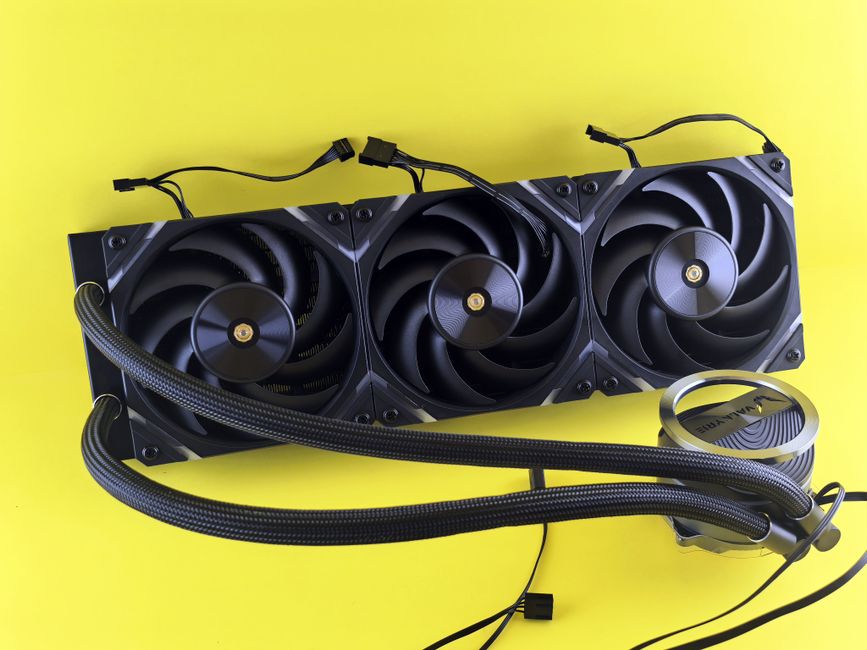
Before embarking on the journey of building your own gaming PC, it is crucial to understand the key components that make up a gaming rig. The primary components include the CPU, GPU, RAM, motherboard, storage, and power supply unit (PSU). Each of these parts plays a vital role in the overall performance of the system.
The CPU or central processing unit is often referred to as the brain of the computer. It handles all the calculations and processing tasks required for running games and applications. For gaming, a multi-core processor is recommended for optimal performance.
The GPU, or graphics processing unit, is arguably the most critical component for any gaming PC. It renders images, animations, and videos, which are essential for an immersive gaming experience. Modern games often demand high-end GPUs to run smoothly at high resolutions.
Choosing the Right Components
When selecting components for your gaming PC, consider your gaming preferences and budget. For example, if you enjoy playing graphically intensive games, investing in a high-end GPU will be essential. Conversely, if you play less demanding games, a mid-range GPU might suffice.
Additionally, it’s essential to ensure compatibility among components. For instance, the motherboard must support the chosen CPU and RAM. Using resources like gaming PC builder websites can help you verify compatibility and prevent potential issues during the build.
Don’t forget about the power supply. A reliable PSU is crucial as it powers all components. Always choose a PSU with sufficient wattage to support your system, taking into account future upgrades.
The Building Process
Once you have selected and gathered all the components, it’s time to start building. Begin by preparing your workspace—ensure it is clean and free from static. Ground yourself by using an anti-static wrist strap or touching a grounded metal object.
Start by installing the CPU onto the motherboard, followed by the RAM and cooler. Next, place the motherboard into the case, securing it with screws. After that, install the GPU, connect the storage drives, and finally, the PSU. Take your time and follow the manuals that come with each component for detailed instructions.
After assembling the parts, it’s time to connect the cables. Proper cable management not only improves airflow but also enhances the aesthetics of your build. Once everything is connected, power on your system and enter the BIOS to ensure all components are recognized.
Installing the Operating System and Drivers
After successfully building your gaming PC, the next step is to install the operating system. Most gamers prefer Windows for its compatibility with a vast array of games. You can create a bootable USB drive to install the OS easily.
Once the OS is installed, it’s crucial to update all drivers, especially for the GPU. Manufacturers regularly release driver updates to enhance performance and fix bugs. Keeping your drivers up to date ensures your gaming experience is smooth and enjoyable.
Testing and Optimization
After everything is set up, it’s time to test your new gaming rig. Run benchmarks using software to evaluate performance. This step is essential for identifying any issues and ensuring that all components are functioning correctly.
Additionally, consider optimizing your settings within games to achieve the best performance. Adjusting graphics settings can lead to smoother gameplay without sacrificing too much visual fidelity.
Finally, don’t hesitate to seek help from online communities and forums. The gaming PC building community is vast and often eager to assist newcomers with tips and advice.
Conclusion
Building your own gaming PC can be a rewarding experience, offering unmatched customization and performance. By understanding the components, carefully selecting parts, and following the building process, you can create a system tailored to your gaming needs. Whether you’re a seasoned gamer or just starting, embarking on this journey opens up a world of possibilities for your gaming adventures.